Project notes / 2026
PodiumA speaking coach,
one take at a time.
An iOS app for practicing how you speak. Pick a lesson, warm up, record a short take, and get feedback you can use on the next try.
RoleSolo builder · product to backend
ReleaseShipped on the App Store
StatusRetired · September 2026
From a prompt to a little more confidence.
- Courses
- 21
- Lessons
- 249
- Takes per attempt
- 3
- Platform
- iOS
A small loop for a hard skill.
Podium turned “I want to speak more clearly” into something concrete to do: a short lesson, a recording, a little feedback, and another attempt.
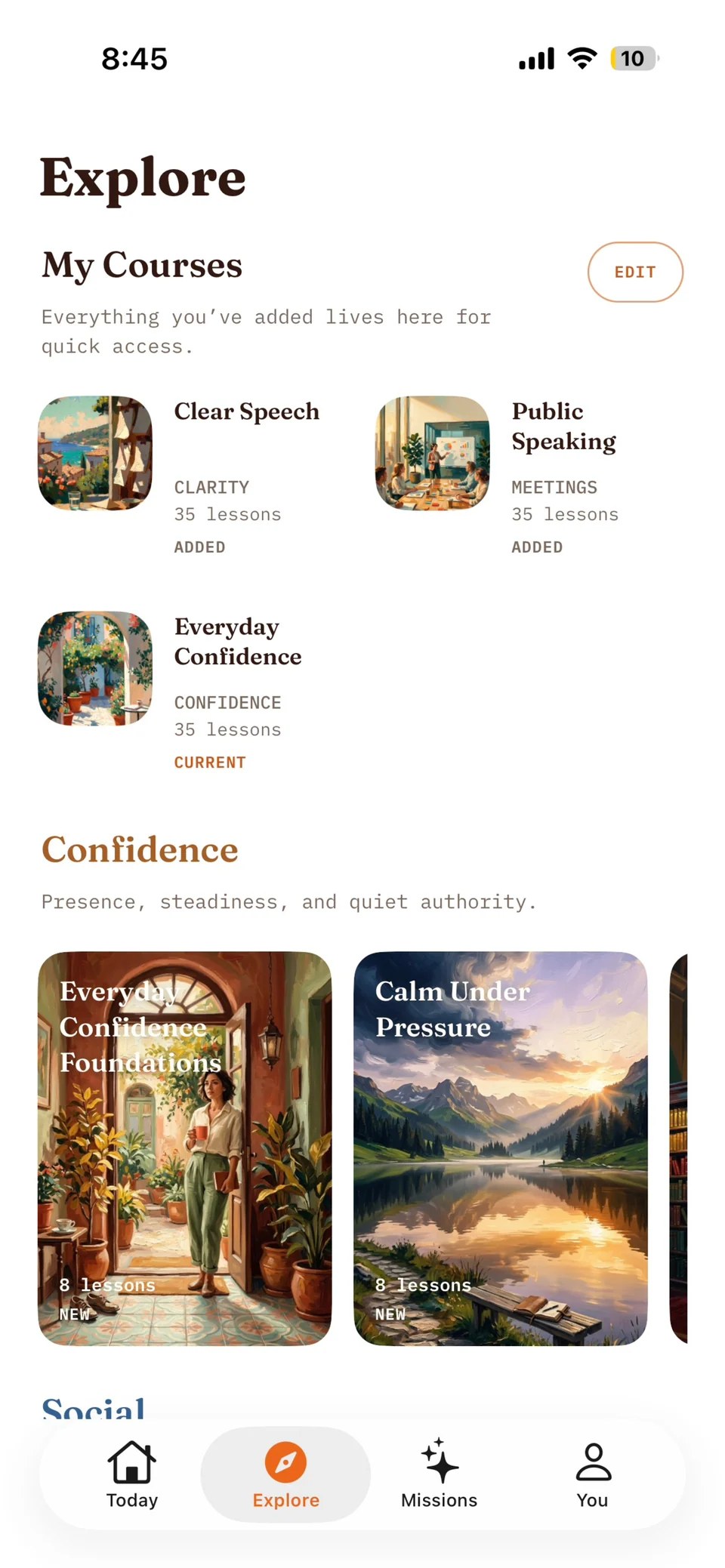
Three longer roadmaps covered clear speech, everyday confidence, and public speaking. Shorter courses and standalone missions made room for specific situations, from introducing yourself to making a point at work.
The product combined a structured curriculum with AI coaching. The lesson supplied the task; the recording supplied the evidence; the feedback pointed toward the next repetition.
Inside the app.
The path from choosing a course to finishing a take. Scroll through the screens; open any image for the full view.
Find a course
A personal course library and shorter paths for confidence, clarity, social situations, and work.
Settle in
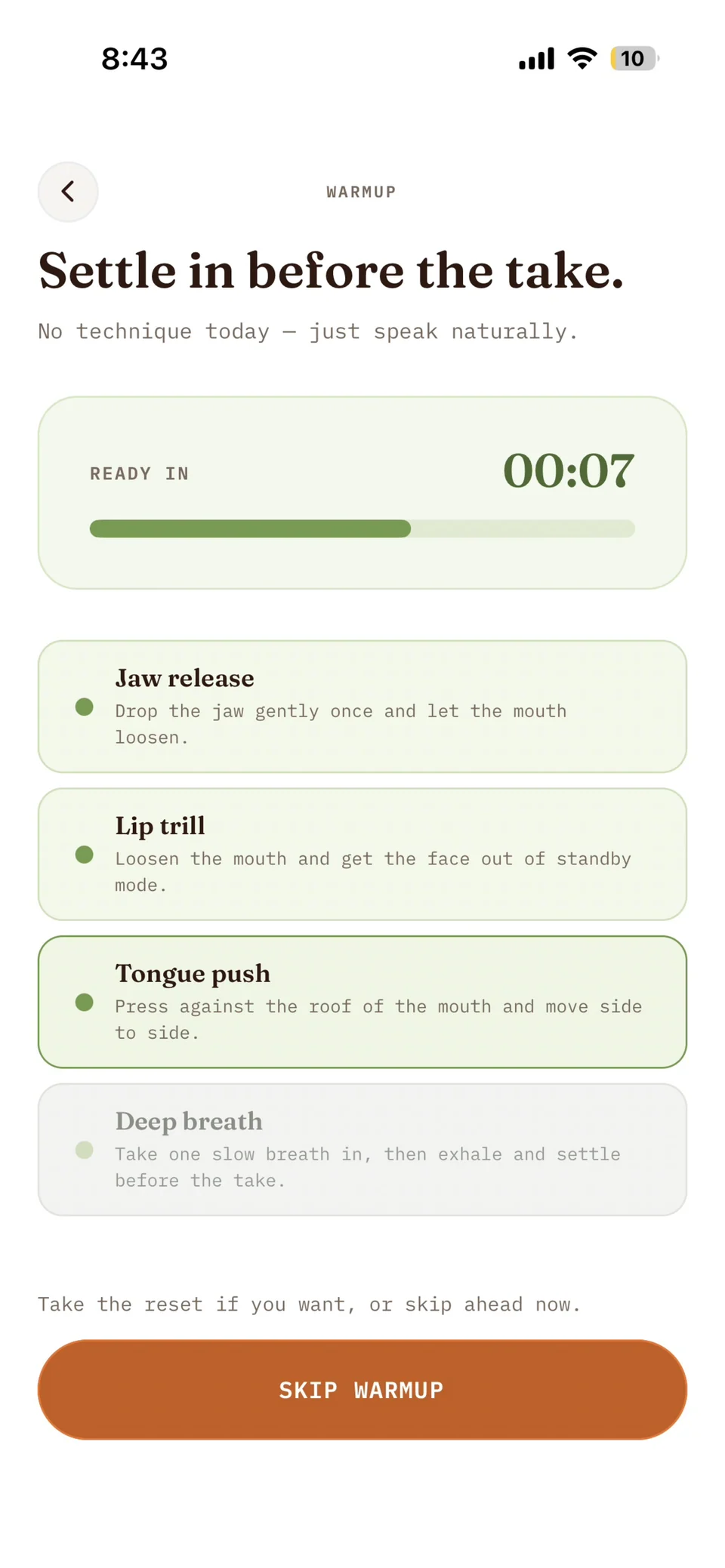
A brief, optional warmup before the recording: jaw release, lip trill, tongue movement, and a breath.
Make a take
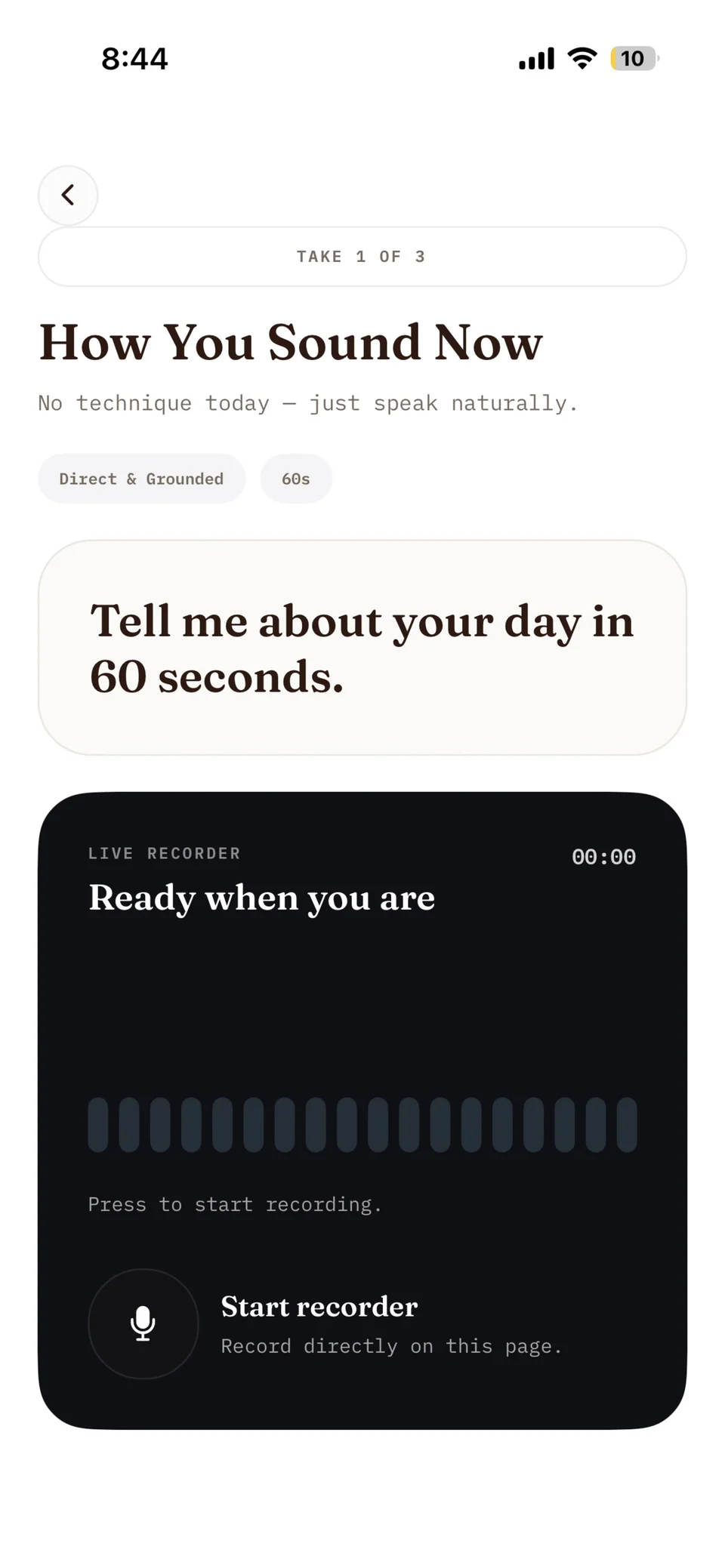
One prompt, a time limit, and a recorder on the same page. Each lesson attempt allowed up to three takes.
Follow the work
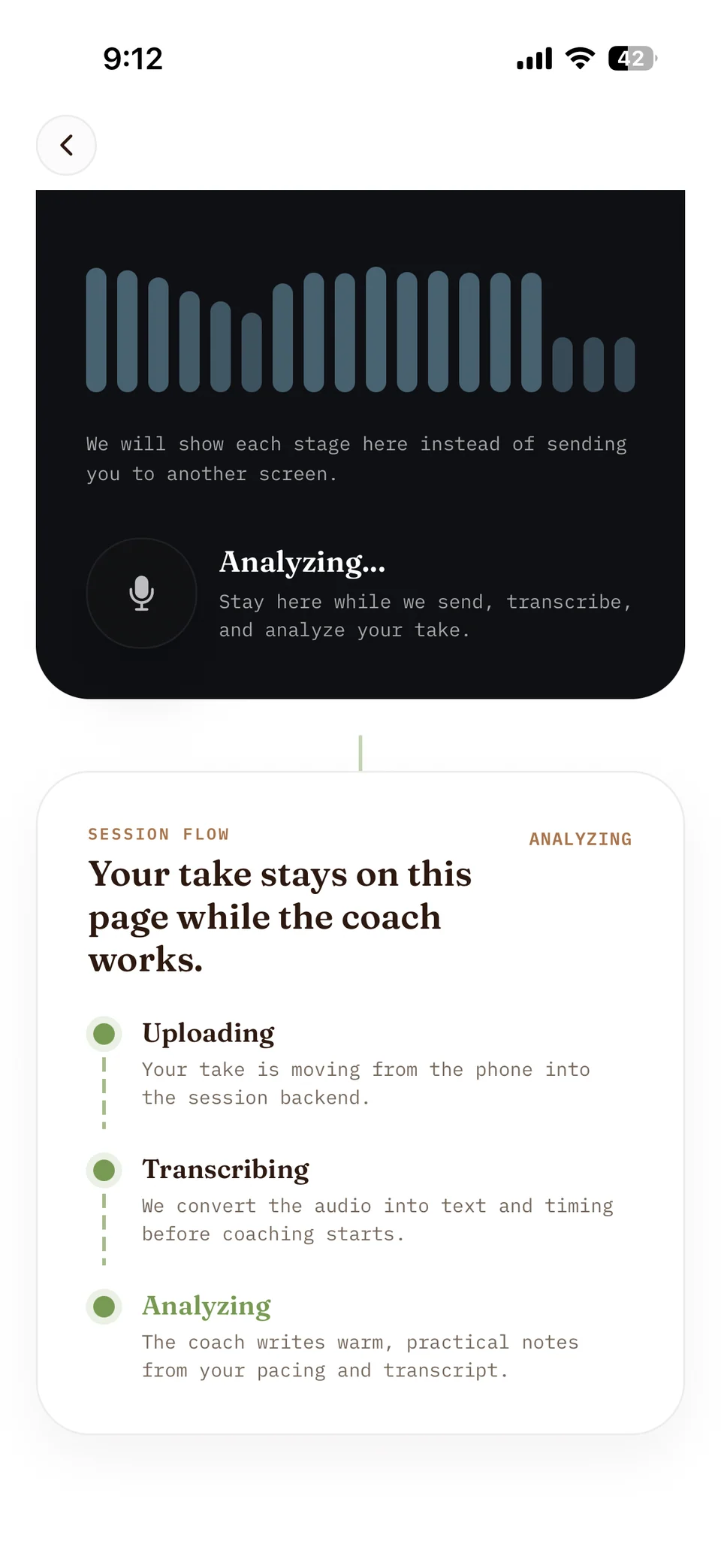
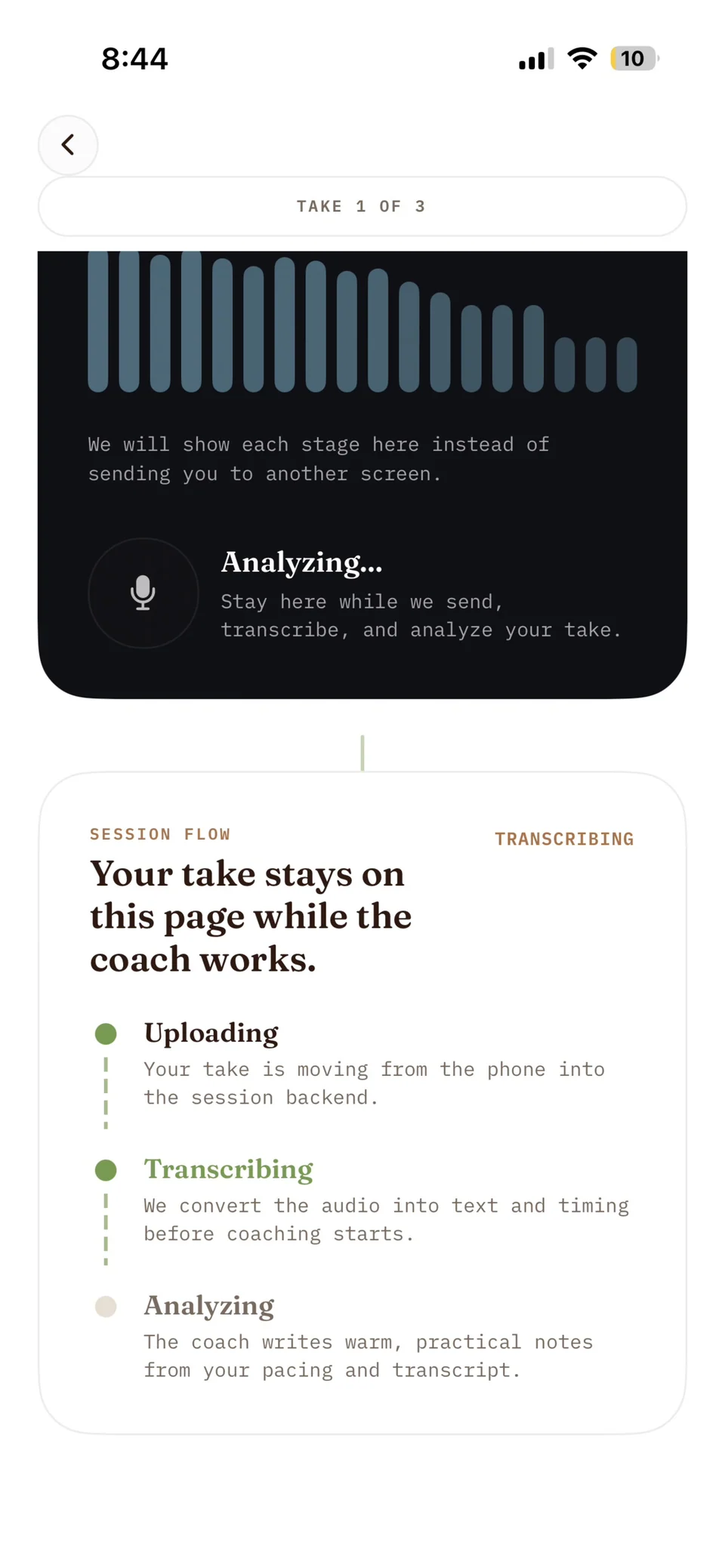
Upload, transcription, and analysis stayed visible while the backend worked on the recording.
Get a next step
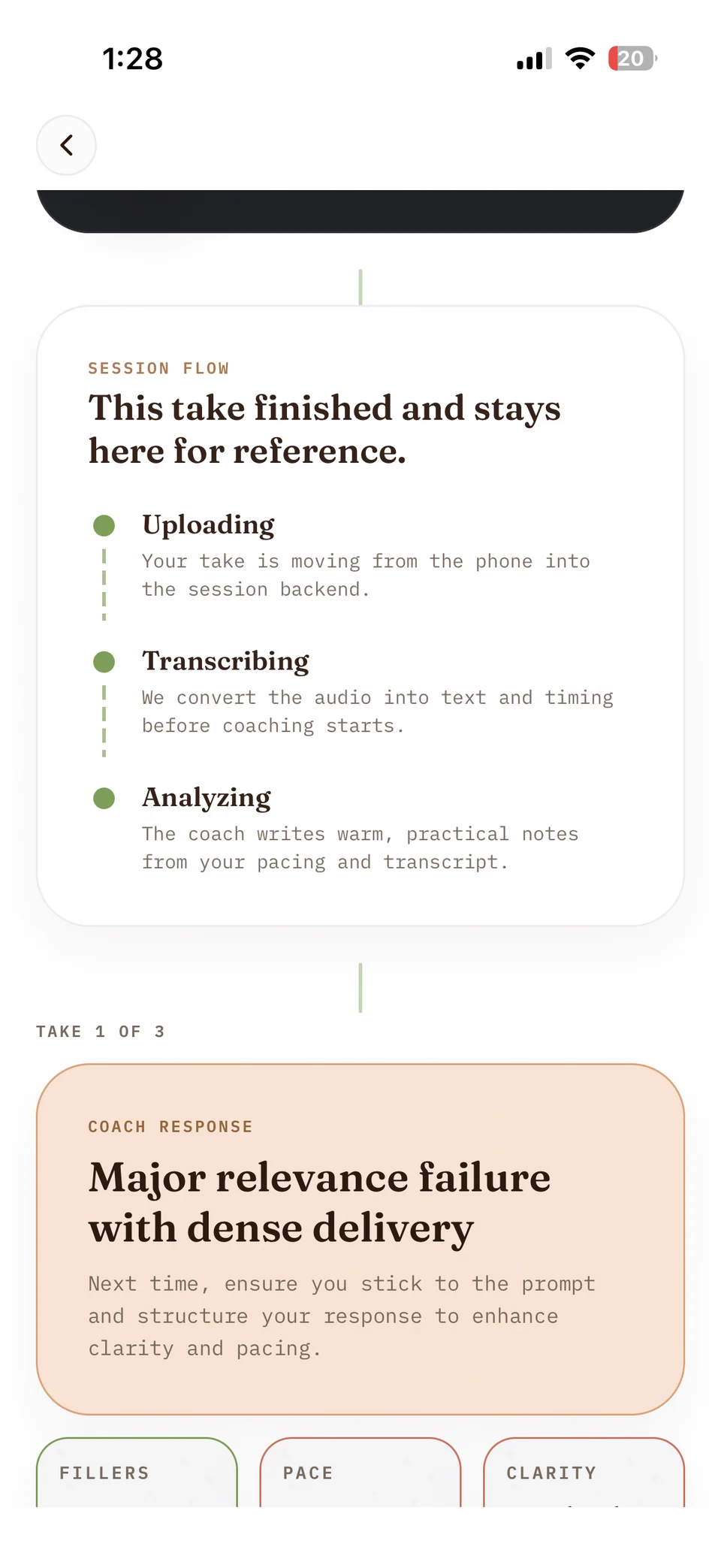
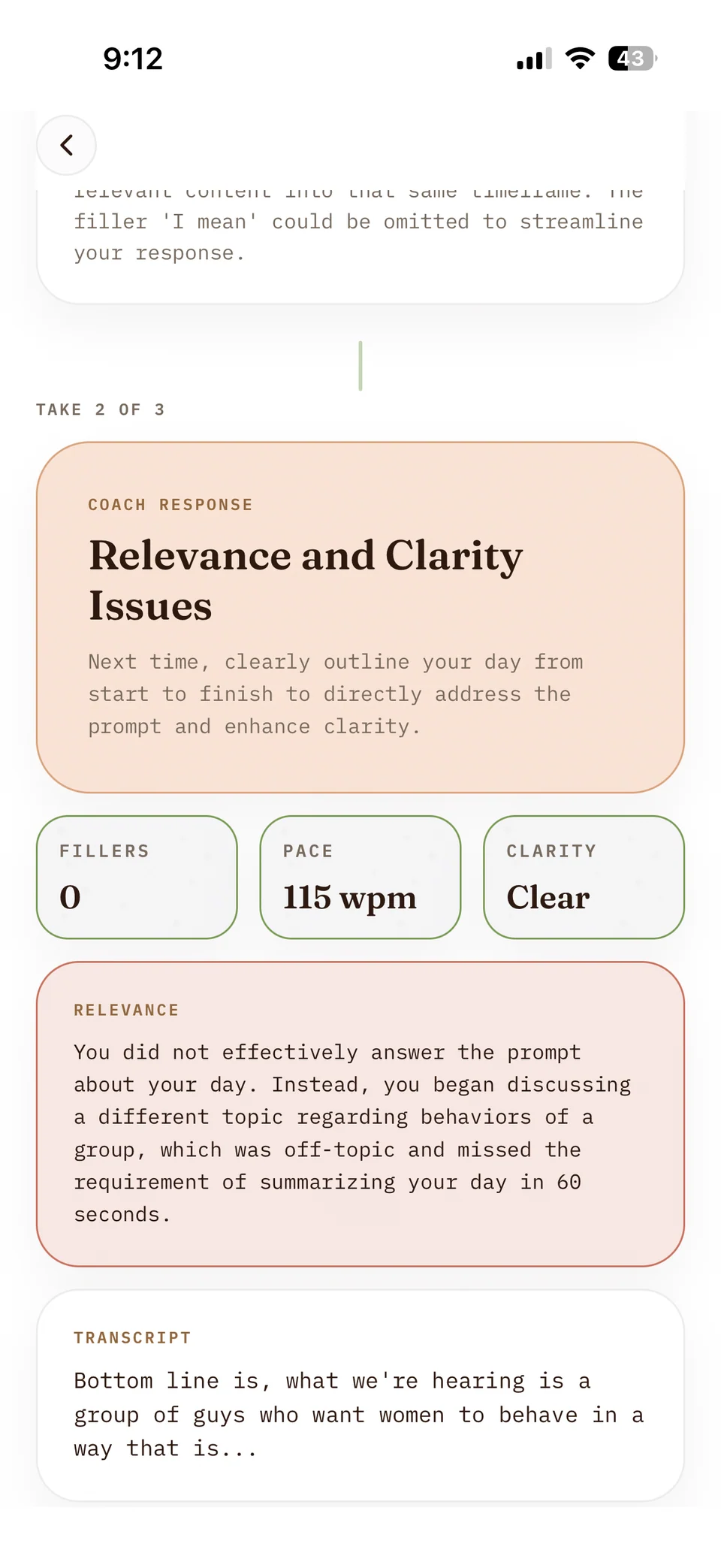
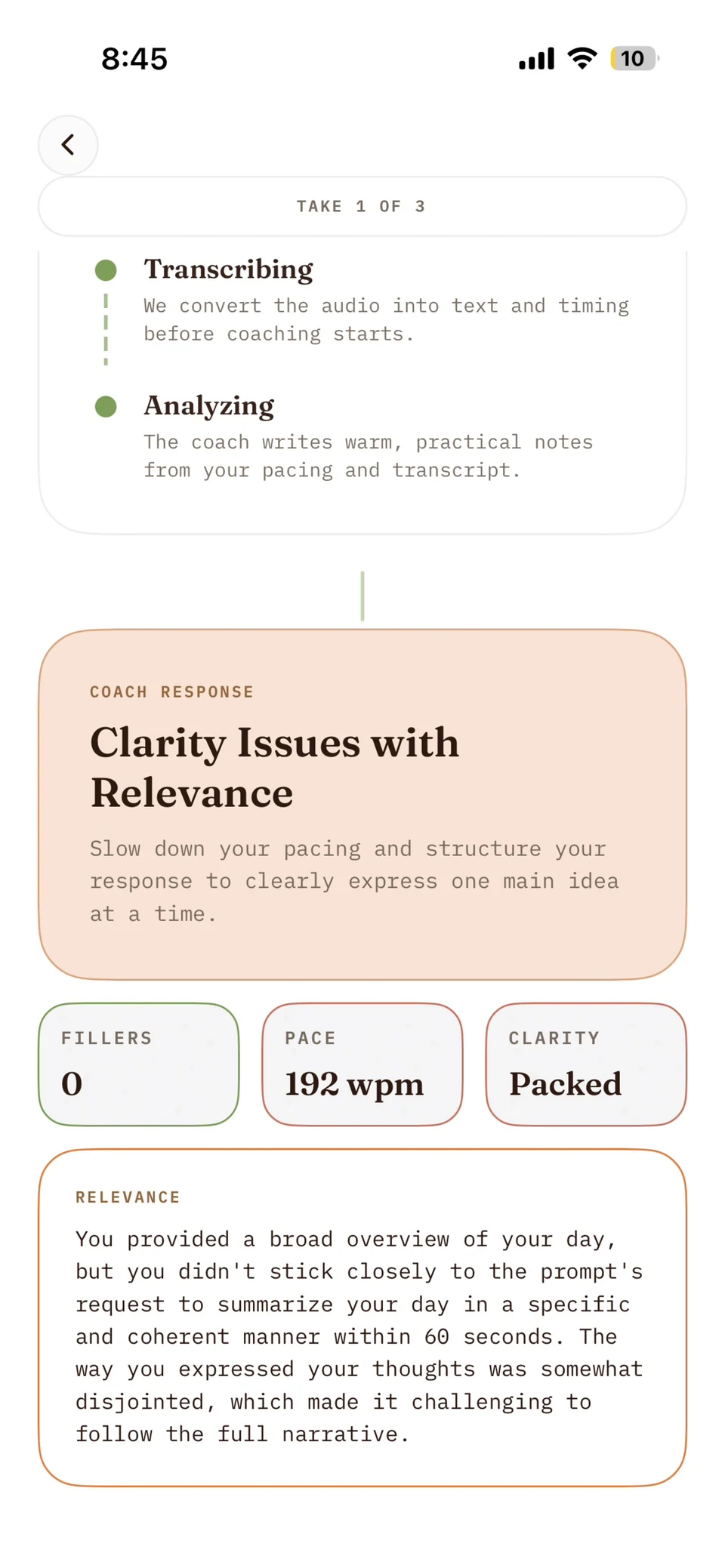
Pace and filler estimates sat alongside coaching on clarity, relevance, and what to change next.
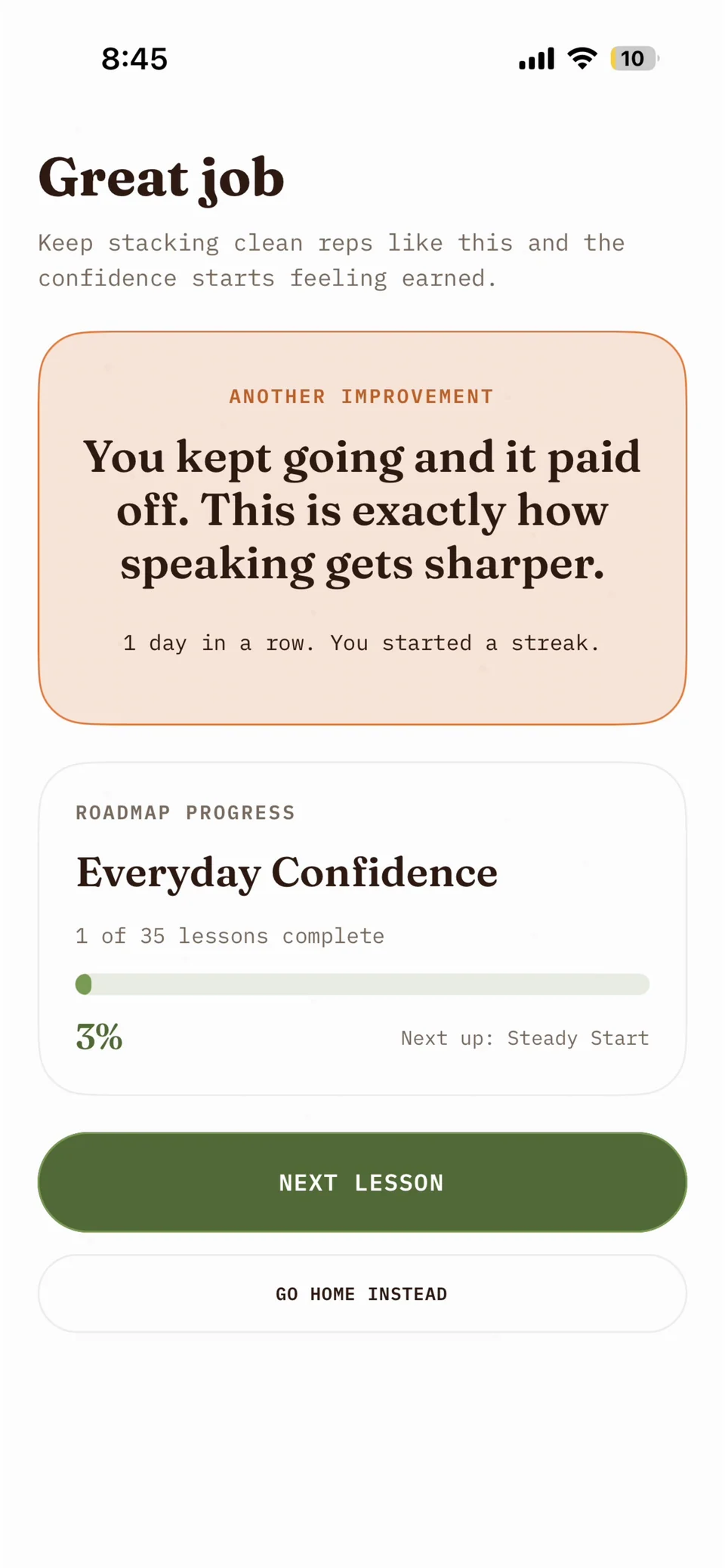
Keep going
The completed lesson fed into the course roadmap, with a clear next lesson to return to.
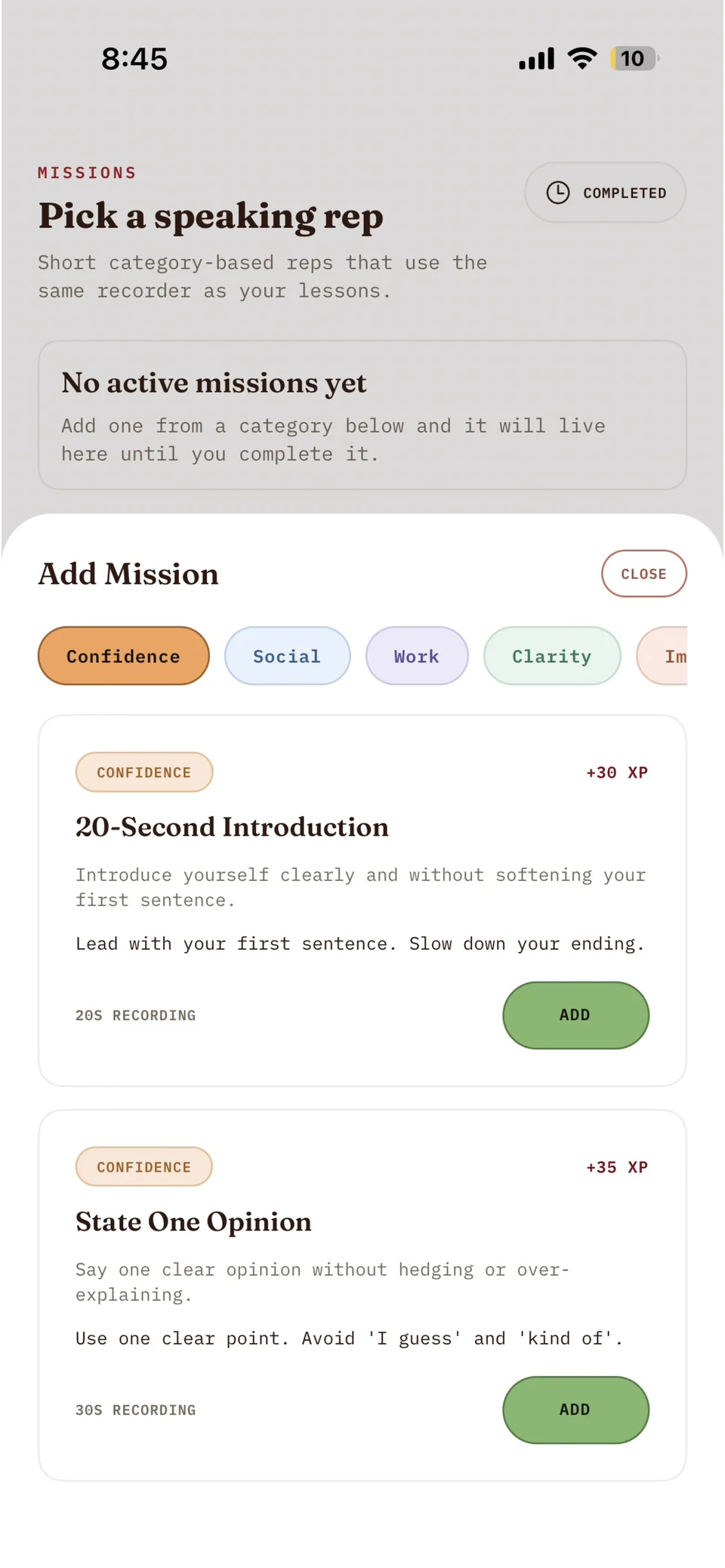
Practice a real situation
Short, category-based missions used the same recorder and feedback pipeline as the longer courses.
01—07 Scroll to explore →
From microphone to coaching.
The phone handled practice. The API handled requests. A background worker did the slow work, with progress saved between stages.
- 01 / On the phone
Expo + React Native
Choose a lesson, record audio, and send it with the user's auth token.
Apple sign-in · Expo Audio - 02 / Request boundary
FastAPI on Railway
Verify identity, enforce usage limits, create the session, and accept the upload.
Authenticated REST API - 03 / Durable state
Supabase
Save audio in a private bucket and enqueue a transcription job in Postgres.
Auth · Postgres · Storage - 04 / Background work
Python worker
Claim a job, read its audio, and recover interrupted work with retries and stale-lock handling.
Postgres jobs · SKIP LOCKED - 05 / Speech + feedback
Whisper + GPT-4o-mini
Transcribe, calculate pace and fillers, then generate coaching using the lesson prompt.
Transcribe → measure → coach - 06 / Back to practice
Save, poll, review
Persist the result. The app polls the session, shows feedback, and lets the user try another take.
Same screen · next action
| Layer | Tools | Responsibility |
|---|---|---|
| Mobile | Expo · React Native · TypeScript | Expo Router, audio recording, and Zustand state. |
| API & worker | FastAPI · Python · Railway | Authenticated requests and asynchronous processing. |
| Data & identity | Supabase · PostgreSQL | Auth, relational data, private Storage, and a jobs table. |
| Speech & coaching | Whisper-1 · GPT-4o-mini | Transcription, calculated metrics, and structured coaching. |
| Subscriptions | RevenueCat | Mobile purchases, entitlements, and backend webhooks. |
Build notes / a retrospective
The engineering decisions
A practice attempt was more than one recording
A lesson attempt grouped up to three takes. Each take had its own recording, transcript, processing state, and feedback. The user could choose a take to finish the attempt. Keeping attempts and sessions separate made it possible to preserve the earlier work without treating every recording as a completed lesson.
Slow work belonged in a queue
The API accepted the upload and queued transcription. A separate Python worker
claimed jobs through a Postgres function using FOR UPDATE SKIP LOCKED. That
kept two workers from claiming the same available job at once. Stale locks,
bounded retries, and backoff gave interrupted jobs a path to recovery.
Transcription saved its result before analysis was queued. The app polled the session endpoint and showed uploading, transcribing, and analyzing on the same screen. The waiting state was part of the practice experience.
Measurements and coaching had different jobs
Python calculated words per minute from transcript length and recording duration, and counted filler phrases using explicit patterns. The language model received the transcript, those metrics, and the lesson prompt, then returned a coaching label, observations, and one next-step focus point.
These were transcript-derived estimates, not an acoustic or clinical assessment. If transcription omitted a filler, the count could miss it too. Keeping that distinction clear is something I would carry into the next version.
Identity and billing reached the backend
Native Sign in with Apple connected to Supabase Auth. FastAPI checked bearer tokens with Supabase and scoped application operations to the authenticated user. The database also had row-level security policies for user-owned records and private audio paths. The privileged Supabase key stayed on the backend.
RevenueCat handled the mobile purchase integration. An authenticated webhook updated the user’s subscription tier, while the backend enforced trial and Pro usage limits. A separate retention task could remove audio older than 30 days while keeping transcripts and coaching history.
What I took from it
An AI feature is a whole product loop. Recording, upload failures, waiting, feedback, retrying, and choosing the next lesson all needed to work together. The model call was one stage in that loop.
Useful feedback needs a next action. Pace and filler counts were easiest to use when they led to a specific thing to try on the next take. The curriculum and warmups gave the feedback somewhere to go.
Shipping exposes the work around the demo. Apple sign-in, App Store delivery, subscriptions, background jobs, data access, and retention were as much a part of Podium as the recorder and coaching screens.
Shipped, learned, archived
Podium reached the App Store, and I used it myself. I retired it in September 2026 and shut down the hosted services. Before doing that, I saved the application code, live database schema, courses, lessons, and restart documentation. It is a finished learning project I can revisit, rather than an app currently available to download.
Three more captures from development
Processing states and feedback from testing the recording loop.